

EvTrack Front Desk
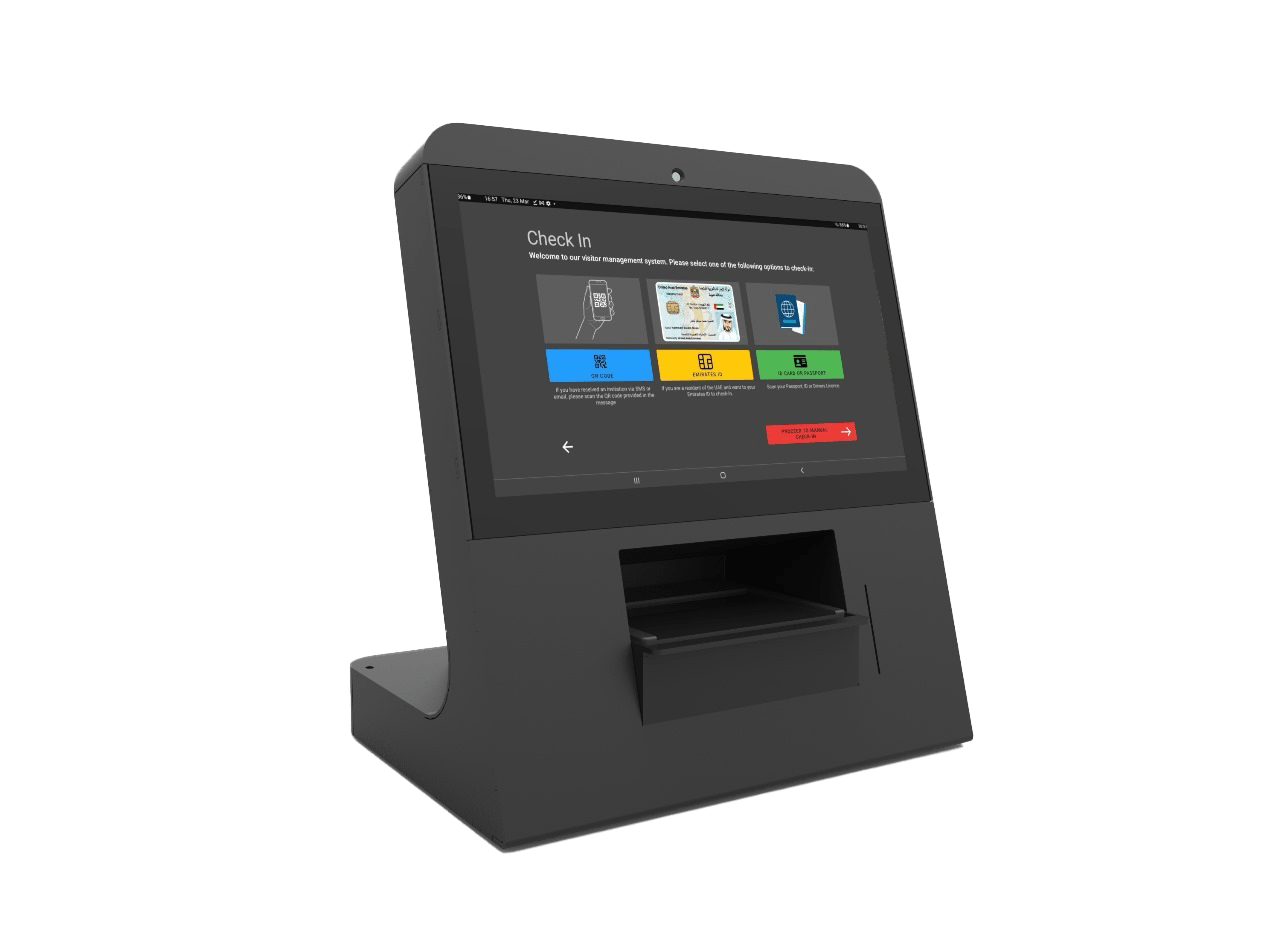
An Android-based self-service visitor registration application running on touchscreen kiosks or tablets. It complements or replaces the front desk security officer, notifies the host after registration and integrates with access control hardware.
Key Features
Pre-Registration QR Scanning
Pre-registered visitors scan their QR code on arrival to skip data entry and speed up the check-in process.
Visitor Photo Capture
The kiosk camera captures a hi-resolution photo that is cropped and processed by EvTrack, optionally uploaded to a face reader.
Digital Questionnaire
Fully customisable digital questions for health/safety, site rules or compliance, answered via the touchscreen.
Host Approval or Denial
On registration completion, a host approval request is sent. The visitor receives their credential only after the host approves.
Access Control Integration
Issue OTP or QR code credentials for 2N or Axis hardware, or transparently open a door, turnstile or gate.
Facial Reader Capture
Visitor faces captured at the kiosk are temporarily uploaded to a facial recognition reader such as SAFR for access control.
Pre-Registered Fast Track
Pre-registered visitors show their QR code to skip full data entry - faster processing and shorter queues.
QR Badge Printing
Optional badge printing via Evolis, Zebra, Brother or Epson printers - creates temporary QR ID badges with photo and visitor details.
How It Works
Visitor Arrives
Visitor approaches the kiosk at the reception or building entrance.
Select Host
Visitor selects the host or tenant they are visiting from the kiosk display.
Register
Visitor scans their ID or manually enters details and takes a photo via the kiosk camera.
Host Notified
EvTrack sends a host approval request with the visitor's photo and details.
Host Approves
Host approves via the app, email or SMS.
Access Granted
Visitor's face is added to the access control reader and a credential (QR/OTP) is issued.
Ready to Streamline Your Visitor Management?
Join hundreds of organisations worldwide using EvTrack for secure, seamless access control.